How to use ROLLIN
6 steps · about 2 minutesStep 1 of 6
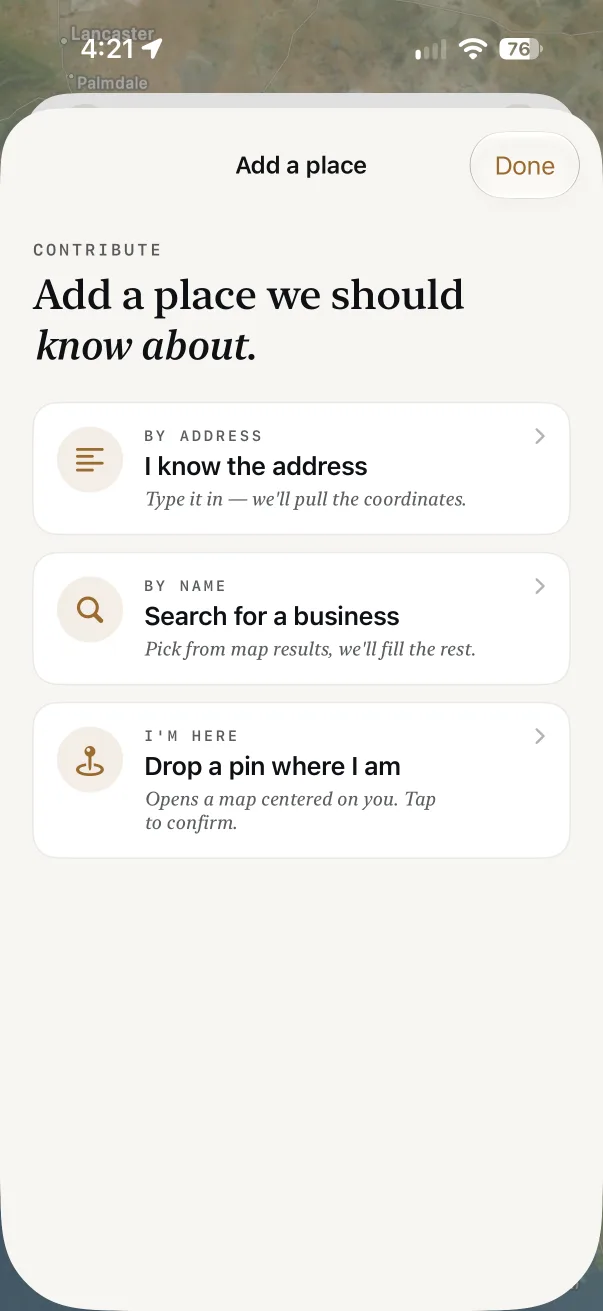
Find a place
Search by name, cuisine or address, or browse the map. Every pin shows the place’s access score.
- Tap For me to put places that suit your needs first
- All Places filters by restaurant, bar, cafe and more
- Numbered circles are groups; zoom in to split them
Step 2 of 6
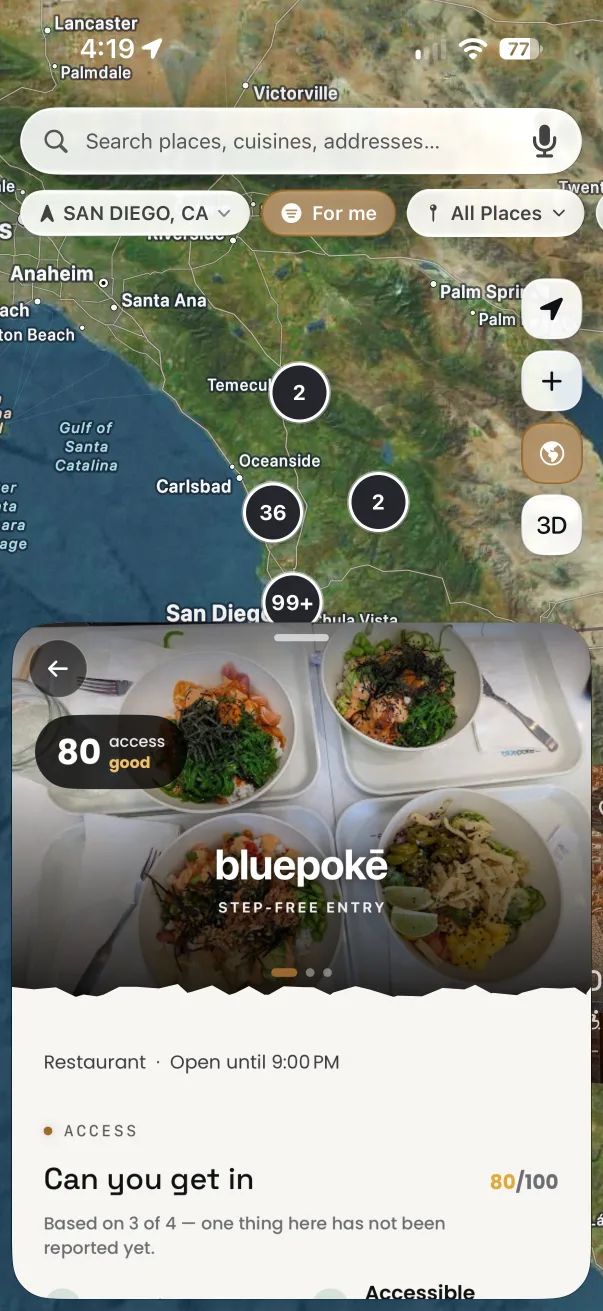
Read the score
Open a place to see its score out of 100 and exactly which features were checked at the door.
- Can you get in covers entry, restroom and aisles
- A ? means nobody has reported it yet
- Directions, Call and Website are one tap away
Step 3 of 6
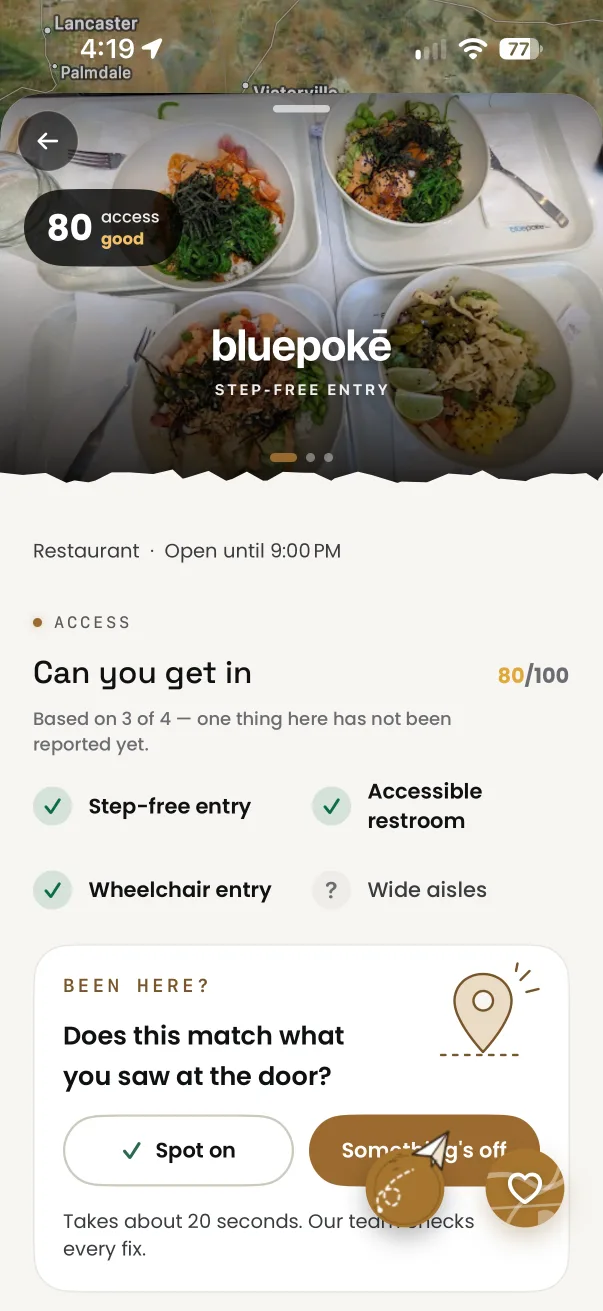
Feel the room
Sound + Light shows how loud and bright a place is inside, measured by people who were there.
- Tap Check the sound & light when you visit
- Point your phone at the room for a few seconds
- It helps anyone sensitive to noise or light
Step 4 of 6
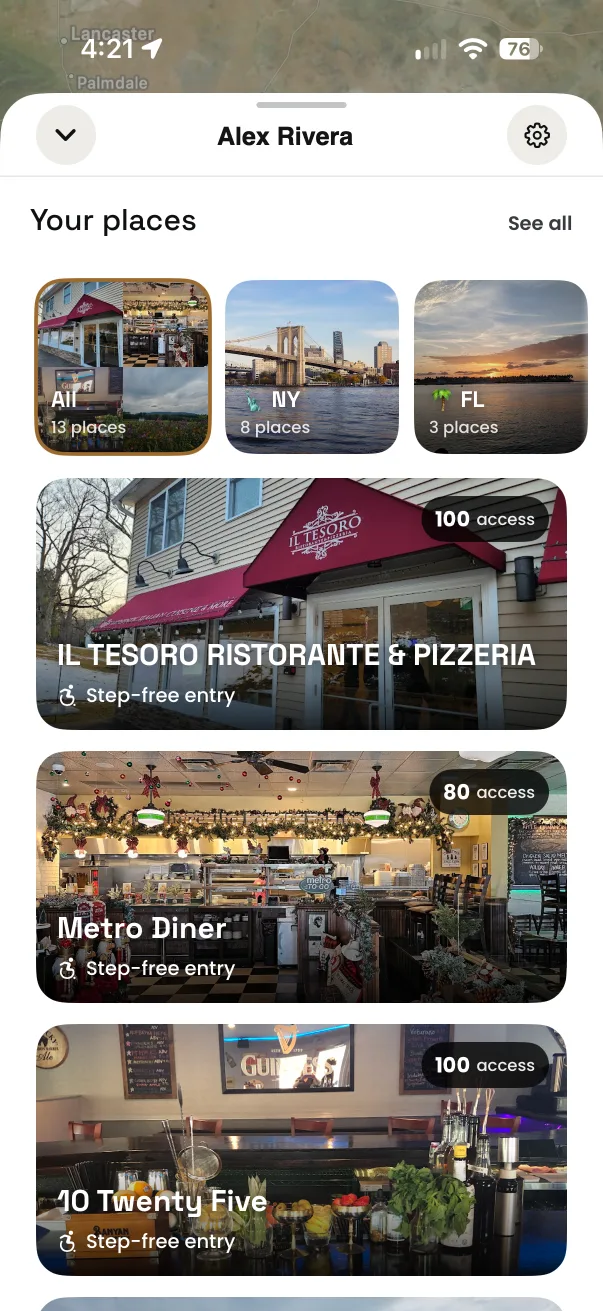
Save your favorites
Heart a place to keep it in Your places, grouped by state and ready on your map.
- Sign in with Apple, Google or email to save
- Your places follow you to any device
- Tap the heart again to remove one
Step 5 of 6
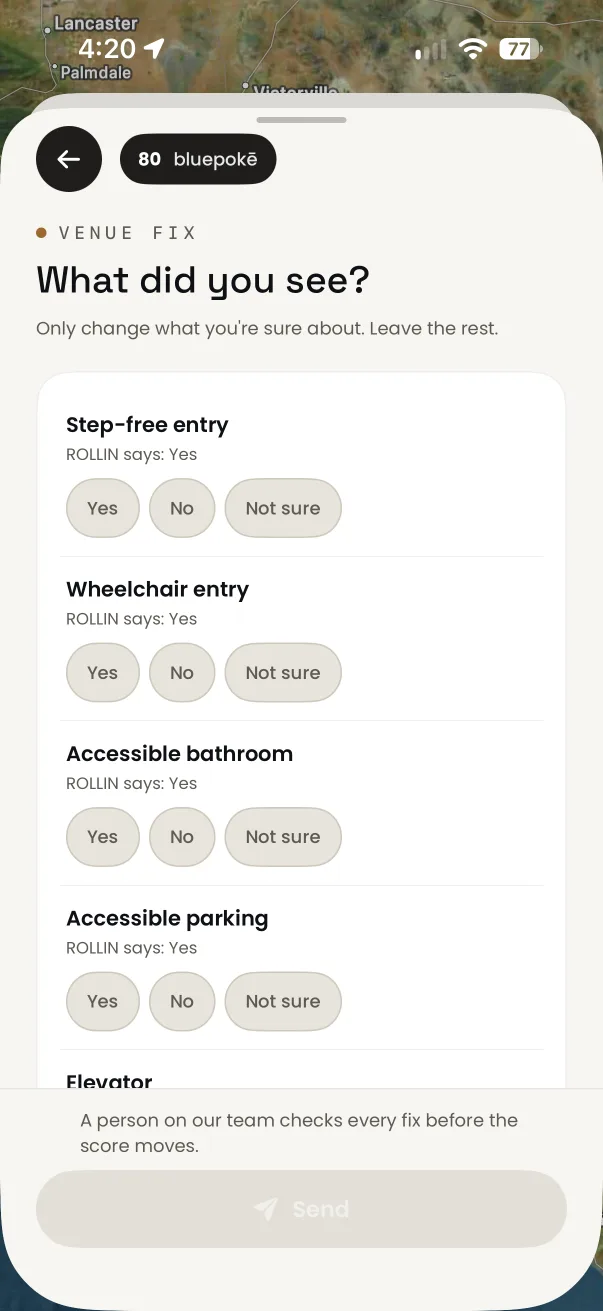
Fix what’s changed
Been there and something’s different? Tell us in about 20 seconds.
- Tap Something’s off under Been here?
- Only answer what you’re sure about
- A person checks every fix before the score moves
Step 6 of 6
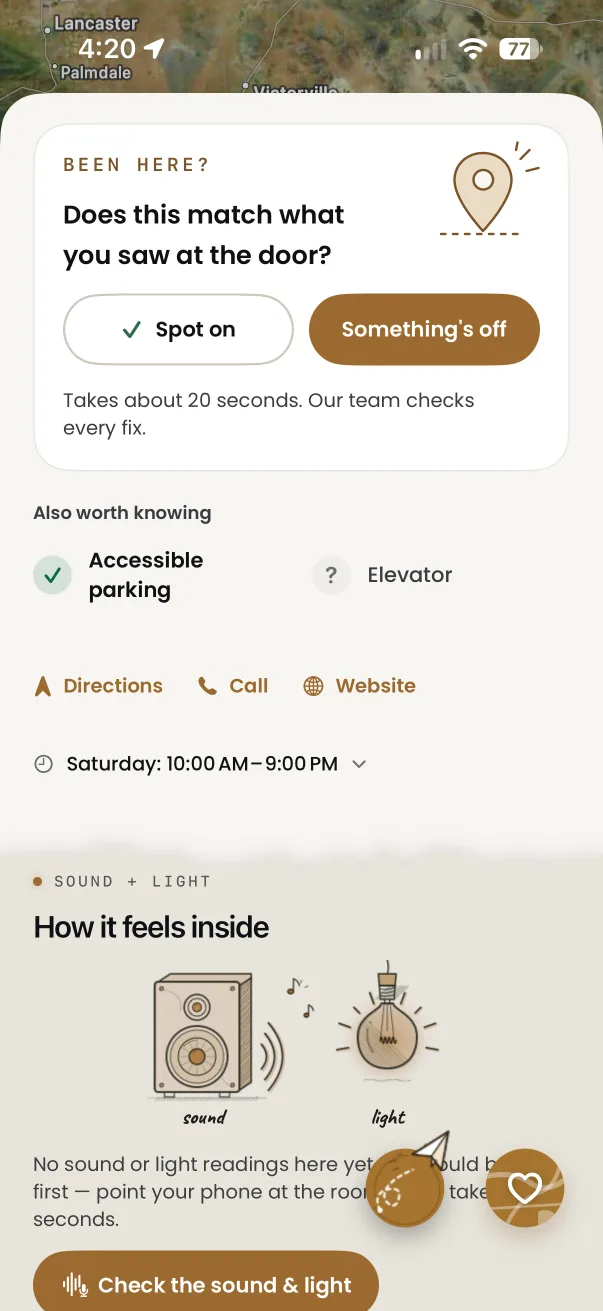
Add a place
Missing a spot? Add it by address, by name, or drop a pin where you’re standing.
- Profile → Add a place
- Submissions are reviewed before they go live
- Turn on Your submissions to hear when it’s approved