About ROLLIN
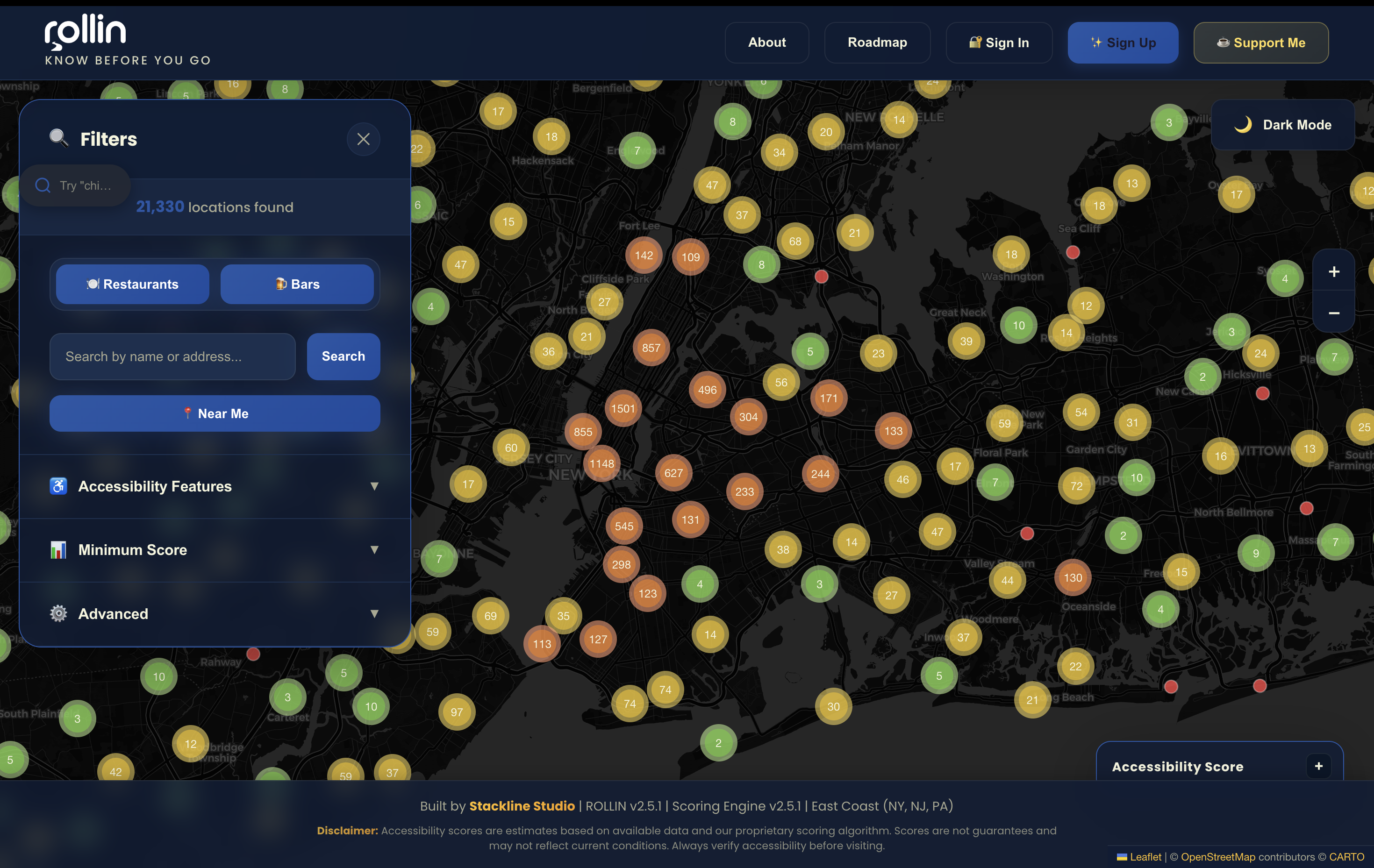
ROLLIN is a community-powered accessibility platform designed to help wheelchair users and people with mobility challenges discover accessible restaurants, bars, and venues in the NYC area.
Built by One Developer
ROLLIN was designed and developed entirely by David Sirota at Stackline Studio. What started as a personal mission to improve accessibility data has grown into a platform serving thousands of users.
Key Features
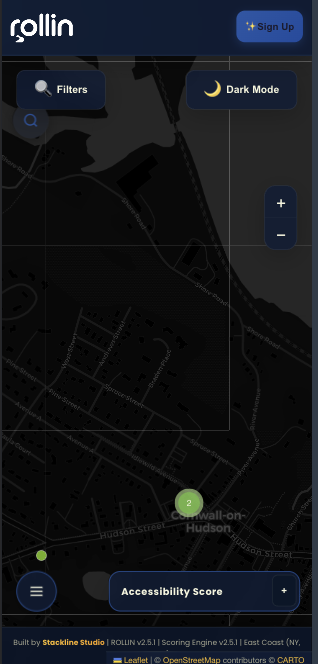
Interactive Map
Browse 21,000+ locations with real-time accessibility scores
Ask ROLLIN AI
Natural language search powered by Claude AI
Community Verified
User reports and feedback improve data quality
Transparent Scoring
Rule-based scoring system with evidence hierarchy
Our Mission
To empower people with mobility challenges to discover accessible spaces with confidence.
We believe accessibility data should be transparent, community-verified, and always up-to-date. By combining OpenStreetMap data, user reports, and AI-powered analysis, we're building the most comprehensive accessibility platform for the NYC area.
Every restaurant verified, every report reviewed, and every score calculated brings us closer to a more accessible world.
Accessibility Features Glossary
Understanding what each accessibility feature means is critical for accurate data entry and verification.
🚪 Entrance Features
Wheelchair Entry
Question: Can a wheelchair user enter the building?
| Value | Meaning |
|---|---|
| ✅ Yes | Full wheelchair access, no barriers |
| ❌ No | Steps, narrow door, or other barriers prevent entry |
| ❓ Unknown | No data available |
What to Look For:
- Steps or stairs (even 1 step = not wheelchair accessible)
- Door width (minimum 32 inches / 81 cm for wheelchairs)
- Ramp availability if there are steps
- Threshold height (should be ≤ 0.5 inches / 1.3 cm)
Common User Reports
entrance_steps- Steps/stairs at entrance (no ramp)entrance_door_narrow- Door too narrow for wheelchairentrance_threshold- Threshold too high
Level Entry
Question: Is there a level, step-free entrance?
Difference from Wheelchair Entry
Wheelchair Entry = Can get in (maybe via ramp)
Level Entry = No steps at all
🚻 Restroom Features
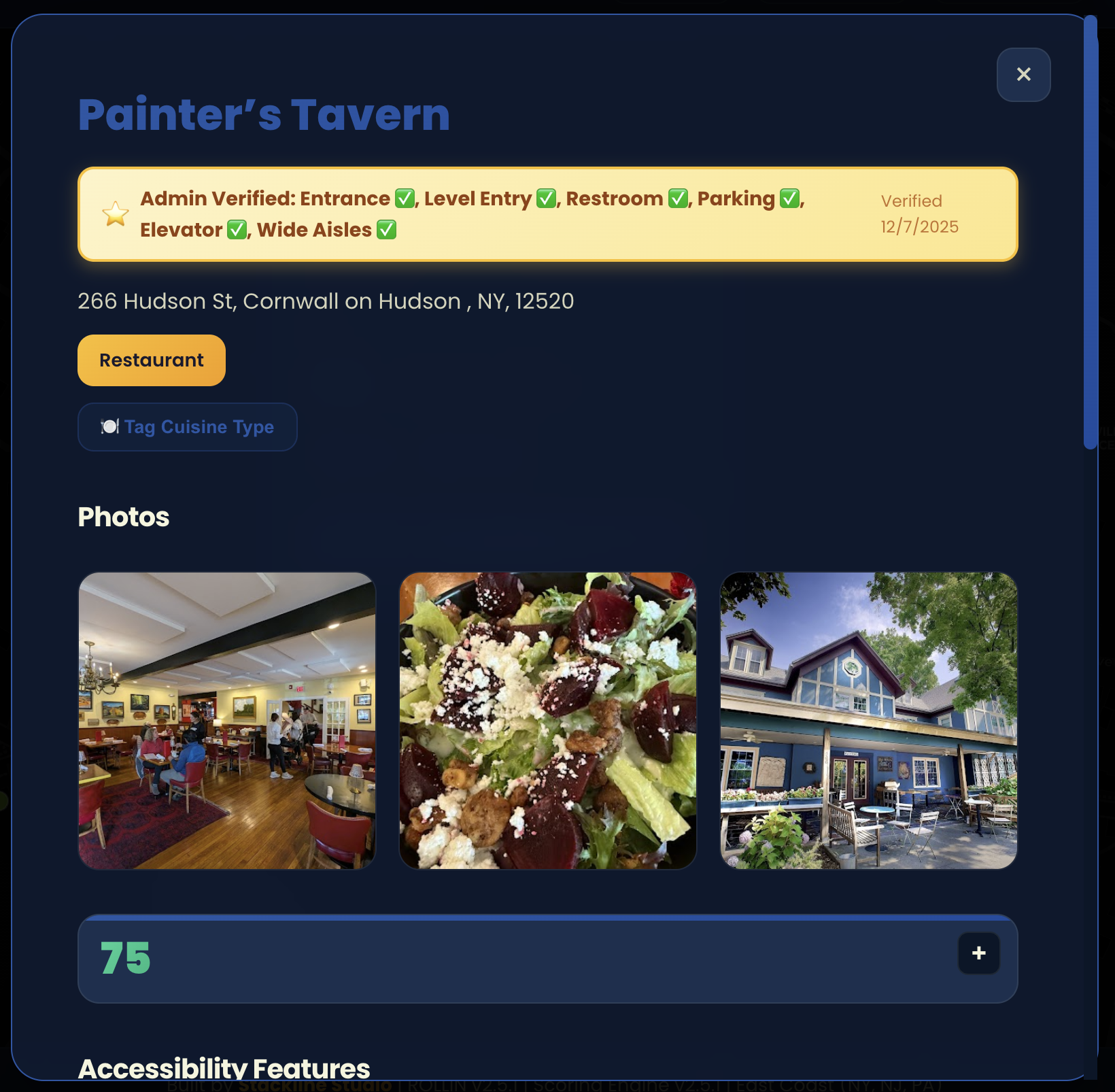
Accessible Restroom
Question: Is there a wheelchair-accessible restroom?
What to Look For:
- Stall width ≥ 60 inches (5 feet) for turning radius
- Grab bars on both sides
- Toilet height 17-19 inches
- Accessible sink (knee clearance underneath)
- Door width ≥ 32 inches
🅿️ Parking Features
Accessible Parking
Question: Are there designated accessible parking spots?
Requirements:
- Marked with International Symbol of Access (wheelchair icon)
- Width ≥ 96 inches (8 feet) for van-accessible
- Access aisle adjacent to spot
- Proximity to accessible entrance
Scoring System Deep Dive
ROLLIN uses a deterministic, rule-based scoring engine - no AI, no black boxes, just transparent math.
Score Range: 0-100
| Range | Badge | Description |
|---|---|---|
| 90-100 | 🟢 Highly Accessible | Full wheelchair access |
| 70-89 | 🟡 Generally Accessible | Wheelchair entrance confirmed |
| 50-69 | 🟠 Partially Accessible | Limited access, challenges present |
| 30-49 | 🔴 Difficult Access | Major barriers present |
| 0-29 | ⚫ Inaccessible | Not wheelchair accessible |
Scoring Formula
Total Score = Entrance (70%) + Restroom (20%) + Parking (5%) + Interior (5%)Why these weights?
- Entrance = 70% - If you can't get in, nothing else matters
- Restroom = 20% - Critical for extended visits
- Parking = 5% - Important but alternatives exist (drop-off, street)
- Interior = 5% - Matters once inside
Evidence-Based Scoring
Each feature score is calculated from multiple evidence sources:
Evidence Trust Hierarchy (Highest → Lowest):
- Admin Verified (1.0 trust) - Manually verified by ROLLIN team
- Photos (1.0 trust) - Visual proof uploaded
- Community Reports (0.9 trust) - User-reported issues (after admin verification)
- OpenStreetMap Tags (0.7 trust) - Community-verified OSM data
- Google Reviews (0.6 trust) - Keyword analysis from reviews
- Community Feedback (0.5-0.9 trust) - Thumbs up/down (weighted by user trust)
- Business Claims (0.3 trust) - Self-reported by business
Conflict Resolution
When evidence conflicts, higher trust evidence wins:
Example:
- OSM says: wheelchair=yes (0.7 trust)
- User report: entrance_steps verified by admin (0.9 trust)
→ User report wins → entrance NOT accessible
Score Calculation Example
Example: Fully Accessible Restaurant
Evidence:
- Admin verified: Wheelchair entry = yes
- Admin verified: Level entry = yes
- Admin verified: Accessible restroom = yes
- OSM: wheelchair=yes
Calculation:
Entrance Score:
  - Wheelchair entry: yes (1.0 confidence) = 100 points
  - Level entry: yes (1.0 confidence) = +5 bonus

Restroom Score:
  - Accessible restroom: yes (1.0 confidence) = 100 points

Parking Score:
  - Unknown = 50 points (neutral)

Interior Score:
  - Unknown = 50 points (neutral)

Overall = (100 × 0.70) + (100 × 0.20) + (50 × 0.05) + (50 × 0.05)
        = 70 + 20 + 2.5 + 2.5
        = 95 🟢 Highly Accessible
Community Cuisine Tagging
ROLLIN uses crowdsourced cuisine tagging to help Ask ROLLIN understand what types of food each restaurant serves.
How It Works
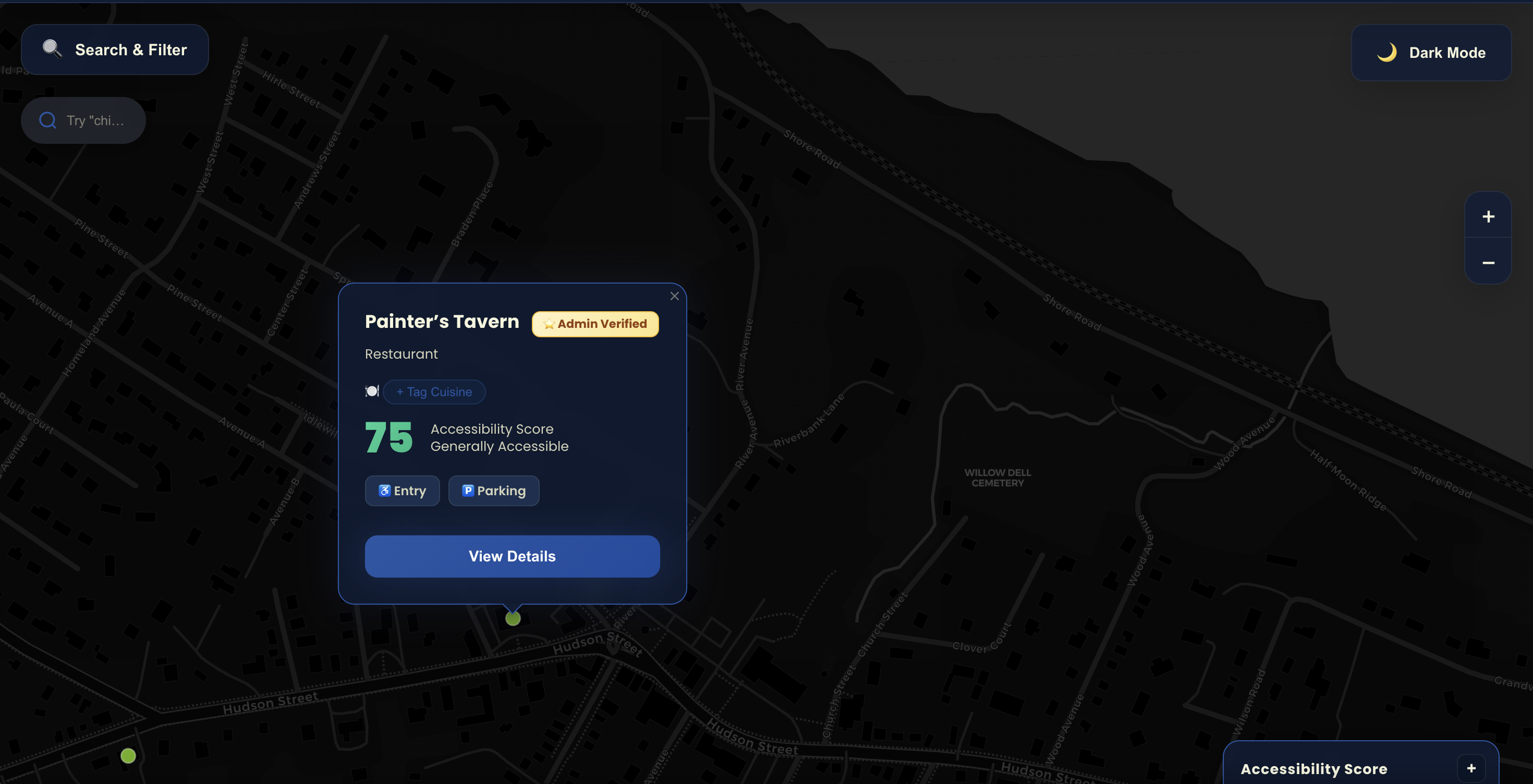
User Flow:
- User views location modal
- Sees "🍽️ Cuisine" section
- Can add tags: Italian, Mexican, Chinese, Japanese, etc.
- Tags stored with vote count
- Tag becomes "verified" at 3+ votes
- Ask ROLLIN uses tags for search
Tag Voting System
Voting Rules:
- ✅ Authenticated users can vote
- ✅ One vote per user per tag
- ✅ Can vote for multiple tags (restaurant can be "Italian" AND "Pizza")
- ❌ Cannot vote on own tags (no self-promotion)
Verification Threshold:
- 3+ votes = Tag gets ✓ "Verified" badge
- Shows as:
Italian ✓ (5)
Trust Weights:
- Admin tagged = 🌟 "Admin Tagged" badge (highest trust)
- 3+ community votes = ✓ "Verified" badge
- 1-2 votes = No badge (still shown, lower trust)
How Ask ROLLIN Uses Cuisine Tags
User types: "Italian restaurants near me"
Ask ROLLIN searches:
- Community cuisine tags where
cuisine = 'italian' - AI-inferred cuisines where
inferred_cuisine = 'italian' - OSM tags where
cuisine = 'italian'
Ranking:
- Admin-tagged Italian (highest priority)
- Verified community tags (3+ votes)
- AI-inferred with high confidence (80%+)
- OSM cuisine tags
- Unverified community tags (1-2 votes)
Ask ROLLIN AI Search
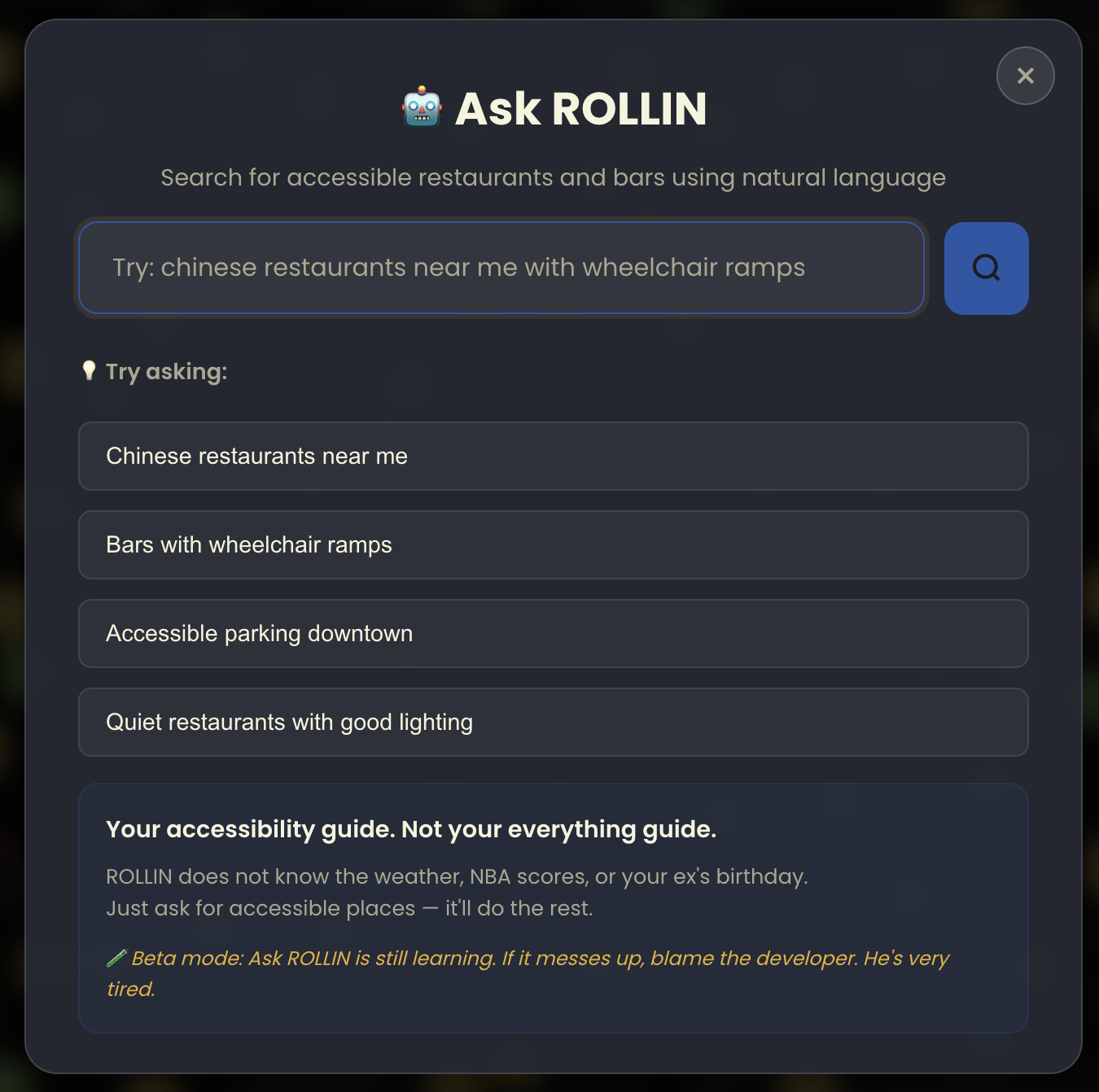
Ask ROLLIN lets users search using plain English instead of filters.
How It Works
User Query Examples:
- "accessible Italian near me"
- "bars with ramps in Brooklyn"
- "wheelchair friendly sushi restaurants"
Processing Flow:
- User types query
- Send to Claude API (Haiku model, ~$0.0008/query)
- Extract search criteria:
- Cuisine: Italian
- Accessibility requirement: wheelchair accessible
- Location: near user
- Fallback pattern matching (if API fails):
- Regex:
/\b(italian|mexican|chinese|japanese)\b/i - Accessibility keywords: wheelchair, ramp, accessible
- Regex:
- Filter locations by criteria
- Rank by:
- Score (high → low)
- Distance (near → far)
- Confidence (high → low)
- Return top 50 results
AI Extraction Example
User Query: "accessible Italian restaurants with outdoor seating"
Claude API Response:
{
  "cuisine": ["italian"],
  "accessibility_features": ["wheelchair_accessible"],
  "additional_features": ["outdoor_seating"],
  "confidence": 0.95
}
Cost & Performance
- API Cost: ~$0.80/month for 1,000 searches
- Response Time: 500-800ms average
- Fallback: Instant (regex pattern matching)
- Accuracy: 85-90% correct extraction
User Report System
Users can report specific problems via the "No, Incorrect" button in location modals.
Report Flow
For Anonymous Users:
- User clicks "❌ No, Incorrect"
- Sign-in prompt appears
- User signs up/signs in
- Page reloads
- Detailed report form auto-opens for that location
- User selects issues and submits
For Authenticated Users:
- User clicks "❌ No, Incorrect"
- Detailed report form opens immediately
- User selects category (Entrance, Restroom, Parking, etc.)
- User selects specific issues (multi-select checkboxes)
- User adds optional details
- Submit → Stored in database with status "pending"
Issue Categories & Types
🚪 Entrance Issues (8 types):
entrance_steps- Steps/stairs at entrance (no ramp)entrance_door_narrow- Door too narrow for wheelchairentrance_door_heavy- Heavy door (no automatic opener)entrance_cramped- Cramped/tight doorwayentrance_dark- Dark/poor lightingentrance_threshold- Threshold too highentrance_no_level- No level entry availableentrance_other- Other entrance issue
🚻 Restroom Issues (7 types):
restroom_no_accessible_stall- No accessible stall availablerestroom_stall_narrow- Stall too narrowrestroom_no_grab_bars- No grab bars or brokenrestroom_sink_not_accessible- Sink not wheelchair accessiblerestroom_door_narrow- Restroom door too narrowrestroom_changed- Changed/no longer accessiblerestroom_other- Other restroom issue
🅿️ Parking Issues (6 types):
parking_no_spots- No accessible parking spotsparking_too_far- Spots too far from entranceparking_poorly_marked- Spots incorrectly markedparking_surface_uneven- Surface uneven/damagedparking_blocked- Spots frequently blockedparking_other- Other parking issue
Multi-Select Reporting
Users can select multiple issues per report:
Example Report
{
  "location_id": "osm-1234567",
  "location_name": "Mario's Pizza",
  "issue_category": "entrance",
  "issue_type": [
    "entrance_steps",
    "entrance_door_narrow",
    "entrance_dark"
  ],
  "details": "Three steps at front door, narrow doorway, poor lighting at night",
  "user_email": "john@example.com",
  "status": "pending"
}
Benefits:
- ✅ Richer data (3 issues instead of 1)
- ✅ Better for AI/ML analysis
- ✅ More accurate scoring
- ✅ Identifies issue combinations
Report Statuses
| Status | Badge | Description |
|---|---|---|
| Pending | 🟡 Yellow | New report, needs admin review |
| In Review | 🔵 Blue | Admin is investigating |
| Resolved | 🟢 Green | Issue confirmed and data updated |
| Dismissed | ⚪ Gray | Not valid or duplicate |
Admin Dashboard Guide
How to review and manage reports effectively.
Accessing the Dashboard
URL: /admin/dashboard.html
Login Required: Yes (admin authentication)
Dashboard Sections
1. Stats Overview
┌─────────────────────────────────────────┐
│ 📊 Quick Stats                          │
├─────────────────────────────────────────┤
│ Total Locations: 21,340                 │
│ Admin Verified: 450                     │
│ User Feedback: 1,245                    │
│ Contributors: 89                         │
│ 🚨 Pending Reports: 12                  │
└─────────────────────────────────────────┘
2. Location Reports Section
Filters:
- 🟡 Pending - New reports needing review
- 🔵 In Review - Currently investigating
- 🟢 Resolved - Issue fixed, data updated
- 📋 All - Show everything
Admin Workflow
Option A: Update Location Data
- Click "✏️ Update Location"
- Location edit form opens in modal
- Update accessibility features:
- Set wheelchairEntry: "no"
- Set levelEntry: "no"
- Add notes: "3 steps at entrance, no ramp"
- Save changes
- Prompt: "Mark this report as resolved?"
- Click "Yes" → Report status = 'resolved'
- Score recalculates on next user page load
Option B: Quick Status Change
- Mark In Review → Status changes to "in_review"
- Mark Resolved → Prompt for admin notes → Status changes to "resolved"
- Dismiss → Prompt for dismissal reason (required) → Status changes to "dismissed"
Option C: View on Map
- Click "🗺️ View on Map"
- Opens main app in new tab
- Location automatically selected
- Review current data shown to users
Admin Notes Best Practices
When Resolving:
Good Examples
- ✅ "Verified via phone call - entrance has 2 steps, updated data"
- ✅ "Confirmed with manager - new ramp installed last week"
- ✅ "In-person verification - accessible stall available"
Bad Examples
- ❌ "Fixed"
- ❌ "Done"
- ❌ "" (empty notes)
When Dismissing:
Good Examples
- ✅ "Duplicate of report #123"
- ✅ "User reported wrong location - entrance is actually accessible"
- ✅ "Business closed - removing from database"
AI/ML Learning Roadmap
Current Status: Data collection phase
Next Phase: Rule-based auto-scoring (Phase 1)
Learning Phases
Phase 1: Rule-Based Auto-Scoring ⏰ Next Sprint
When admin marks report "resolved":
// Automatic penalty application
const penalties = {
    entrance_steps: 40,
    entrance_door_narrow: 25,
    entrance_door_heavy: 15,
    restroom_no_accessible_stall: 20,
    // ... etc
};

// Calculate total penalty
let totalPenalty = 0;
report.issue_type.forEach(issue => {
    totalPenalty += penalties[issue] || 0;
});

// Update score automatically
newScore = max(0, oldScore - totalPenalty);

// Show confirmation
confirm(`Apply penalty of -${totalPenalty} points?
Old Score: ${oldScore}
New Score: ${newScore}`);
Benefits:
- ✅ Faster score updates
- ✅ Consistent penalties
- ✅ You still approve everything
- ✅ Transparent what changed
Phase 2: Pattern Recognition 📅 2-3 Months
Aggregate reports to detect consensus:
// If 3+ users report "entrance_steps"
if (entranceStepsReports.length >= 3) {
    confidence = 'high';
    entrance_score = 20; // Lock score

    console.log('High confidence: Multiple reports confirm steps');
}
Benefits:
- ✅ Detect systemic issues (chains with consistent problems)
- ✅ Higher confidence = more accurate scores
- ✅ Flag issues before you manually review
Phase 3: NLP Analysis 📅 3-6 Months
Extract issues from free text:
// User writes: "three steps and heavy door"
const extracted = nlp.extract(report.details);
// → ['entrance_steps', 'entrance_door_heavy']

// Auto-add to report.issue_type
Phase 4: ML Scoring Engine 📅 6-12 Months
Train model on verified reports:
# Features
X = {
    'osm_tags': location.wheelchair,
    'user_reports': location.reports_count,
    'review_keywords': location.accessibility_mentions,
    'photo_analysis': location.detected_features
}

# Target
y = location.admin_verified_score

# Train
model.fit(X, y)

# Predict for new locations
predicted_score = model.predict(new_location)
Full Details
See AI_ML_LEARNING_ARCHITECTURE.md for comprehensive implementation details
Data Sources & Trust Hierarchy
Where ROLLIN gets its data and how we prioritize conflicting information.
Trust Hierarchy (Highest → Lowest)
| Source | Trust | Description |
|---|---|---|
| 🌟 Admin Verified | 1.0 | Manual verification by ROLLIN team |
| 📸 Photos | 1.0 | User-uploaded visual proof |
| 👥 Community Reports | 0.9 | User-reported issues (after admin verification) |
| 🗺️ OpenStreetMap | 0.7 | OSM community-verified tags |
| 💬 Google Reviews | 0.6 | Keyword analysis of reviews |
| 👍👎 Community Feedback | 0.5-0.9 | User thumbs up/down (weighted by user trust) |
| 🏢 Business Claims | 0.3 | Self-reported by business owners |
Conflict Resolution
When evidence conflicts, higher trust evidence wins:
Example Scenario
- Business claims: "wheelchair accessible" (0.3 trust)
- OSM tag: wheelchair=yes (0.7 trust)
- 2 user reports: entrance_steps (0.9 trust after verification)
- Google reviews: "one small step" (0.6 trust)
Resolution: User reports (0.9) override all other sources → entrance NOT accessible
Best Practices
Verifying Reports
✅ DO:
- Cross-reference - Check OSM tags, Google reviews, photos
- Call business - Quick phone call can verify most issues
- Document reasoning - Add detailed admin notes
- Update promptly - Users waiting for corrections
- Be thorough - One wrong update affects many users
❌ DON'T:
- Auto-approve without verification
- Dismiss without reason - Always add notes
- Trust one source - Conflicting data = investigate more
- Rush - Better slow and accurate than fast and wrong
Prioritizing Reports
High Priority (Review within 24 hours):
- 🔴 Business Status - Closed/moved reports
- 🔴 Safety Issues - Dangerous conditions
- 🔴 Multiple reports - 3+ users reporting same issue
- 🔴 High-traffic locations - Popular restaurants
Medium Priority (Review within 1 week):
- 🟡 Single reports - First report for a location
- 🟡 Minor issues - Lighting, door heaviness, etc.
Low Priority (Review when available):
- 🟢 Parking issues - Less critical than entrance/restroom
- 🟢 Ambiguous reports - Unclear or vague descriptions
Security & Privacy
User Data:
- ✅ User emails stored for admin contact only
- ✅ Never share user data with third parties
- ✅ Users can request data deletion anytime
- ✅ Reports are anonymized in public analytics
Admin Access:
- ✅ Admin accounts require strong passwords
- ✅ Actions are logged (audit trail)
- ✅ Regular security reviews
- ✅ MFA required for admin accounts